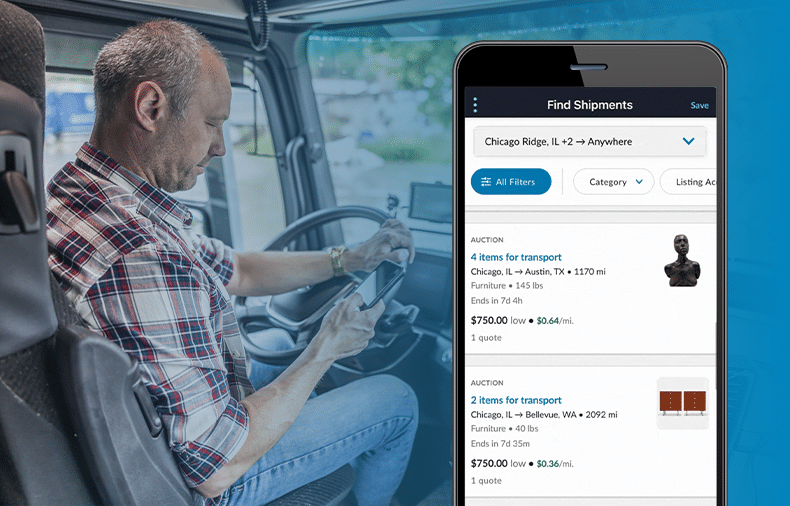
No two carriers on uShip run the same business.
You have a specific lane, or maybe a handful of them. A certain type of shipment you’re set up to haul. A weight range your equipment is built for. A pricing threshold below which a load just isn’t worth the diesel. Then there are all the smaller details: the customer types you prefer, the pickup windows that fit your schedule, and the locations where you know you can work efficiently.
Find handled the basics, but it still asked you to do a lot of the matching work yourself. You had to open listings to check details, rerun the same searches, and mentally track which loads you’d already reviewed. The more specific your business, the more friction that created.
The solution: more control, right in your pocket
The new Find Shipments experience is built around a simple idea: give carriers the power and precision to find the shipments they actually want without leaving the app or duplicating effort.
Better filtering. Smarter signals on each card. Faster access to the searches you run every day.
The goal is simple: help you earn more and work more efficiently on uShip, with less time spent hunting and more time spent hauling.
Starting today, you can opt in directly from the Find Shipments screen whenever you’re ready. No support ticket required. No commitment necessary.
How to switch over
Open Find Shipments and tap the overflow menu (⋮) in the top-left corner. You’ll see two new options:
- Switch to New Find: Try the updated experience
- What’s New: See what changed in this update
Tap Switch to New Find and you’ll get a quick confirmation message:
Switch to New Find? You can switch back to the classic experience anytime from the same menu.
Hit Switch and you’re in.
You can switch back anytime
We know muscle memory matters when you’re working a load board between stops. The opt-in is fully reversible, so you can toggle between the old Find experience and the new experience from the same overflow menu whenever you want.
Run them side by side. Test the new filters against your normal workflow. There’s no lock-in.
What’s New in Find on Mobile
Once you switch, the Find Shipments screen will look different in a few important ways:
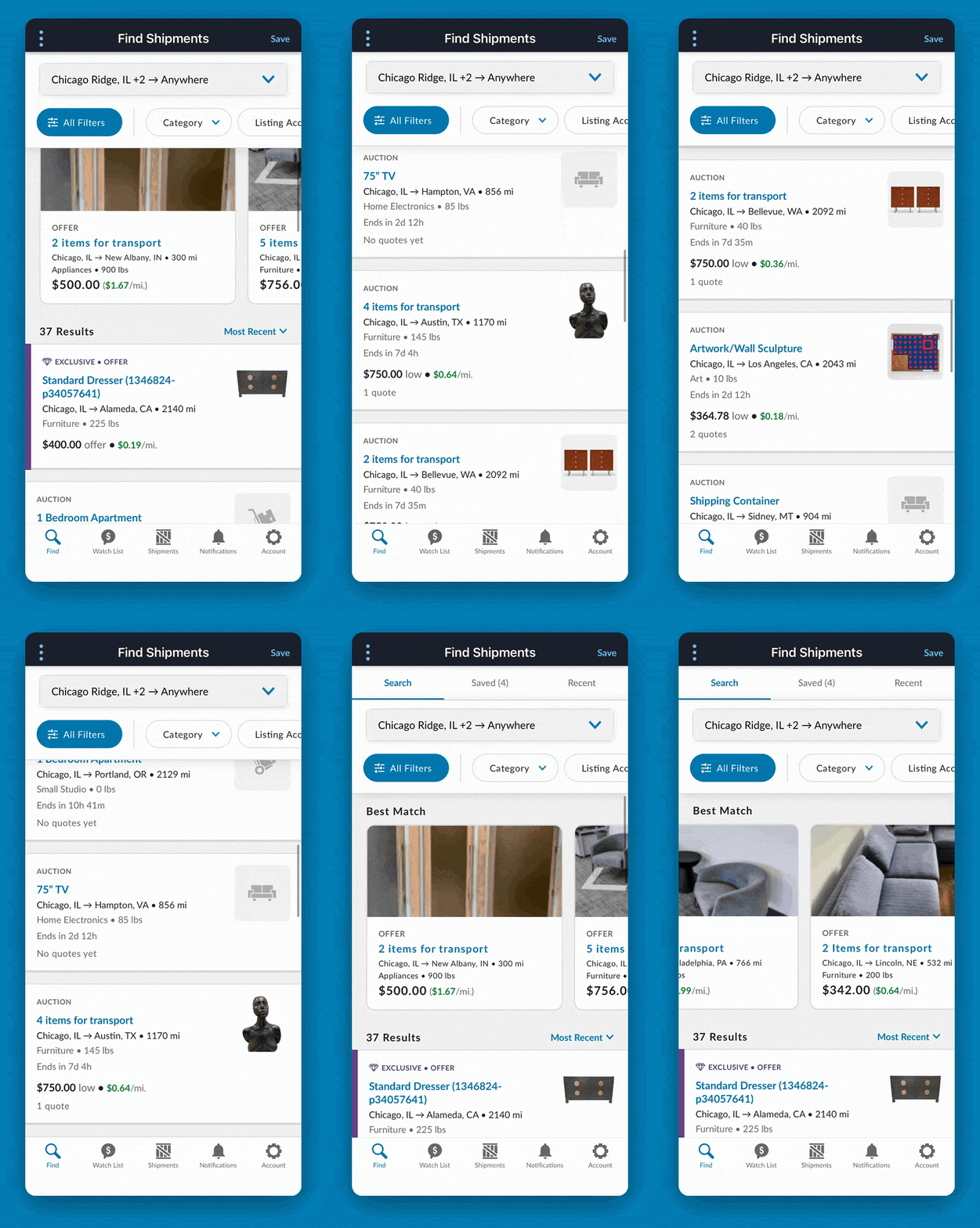
- Search / Saved / Recent tabs at the top, so you can jump straight back to where you left off or revisit searches you’ve saved
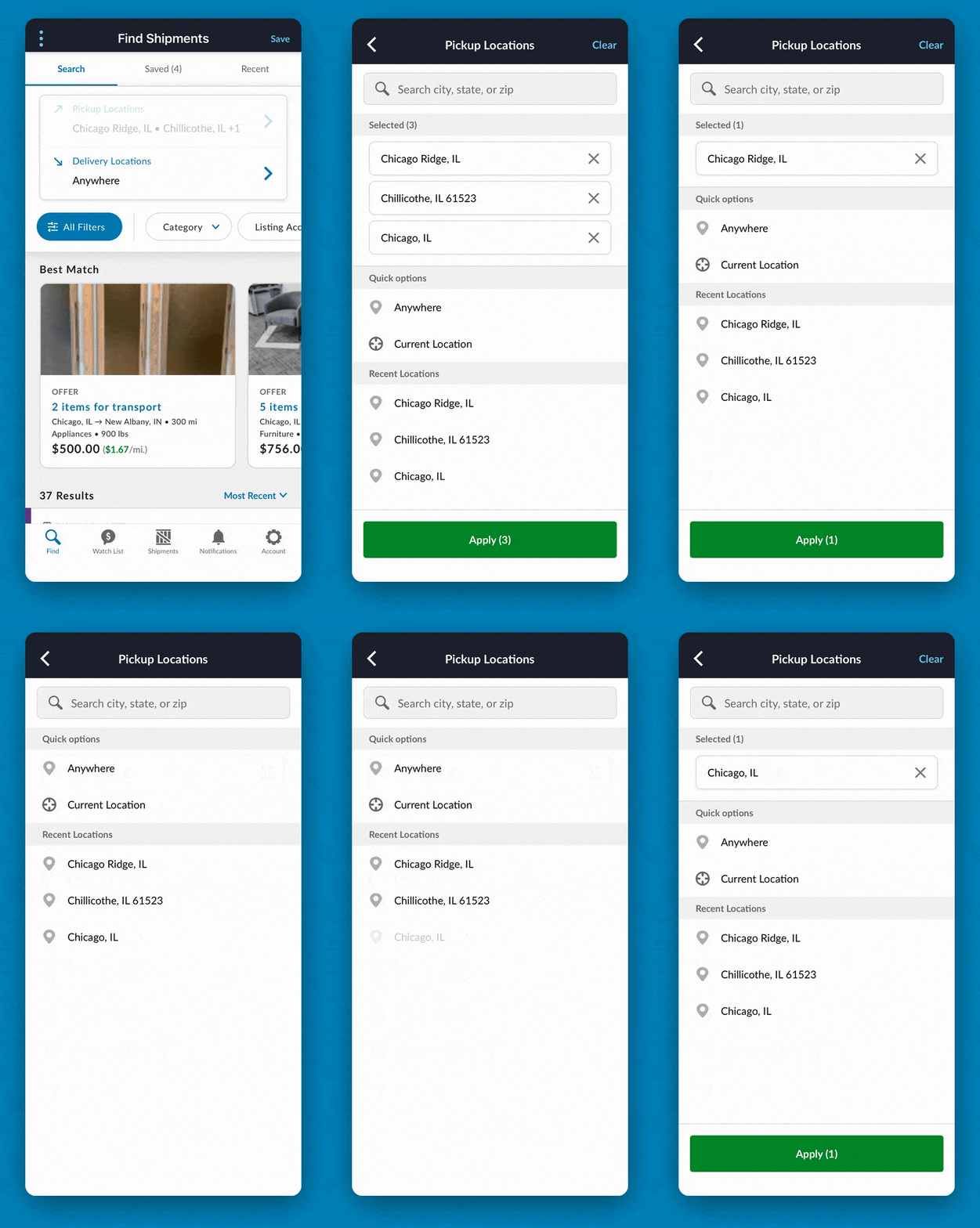
- Multi-location pickup and delivery selection so you can build searches around the lanes you actually run, not just one origin and one destination
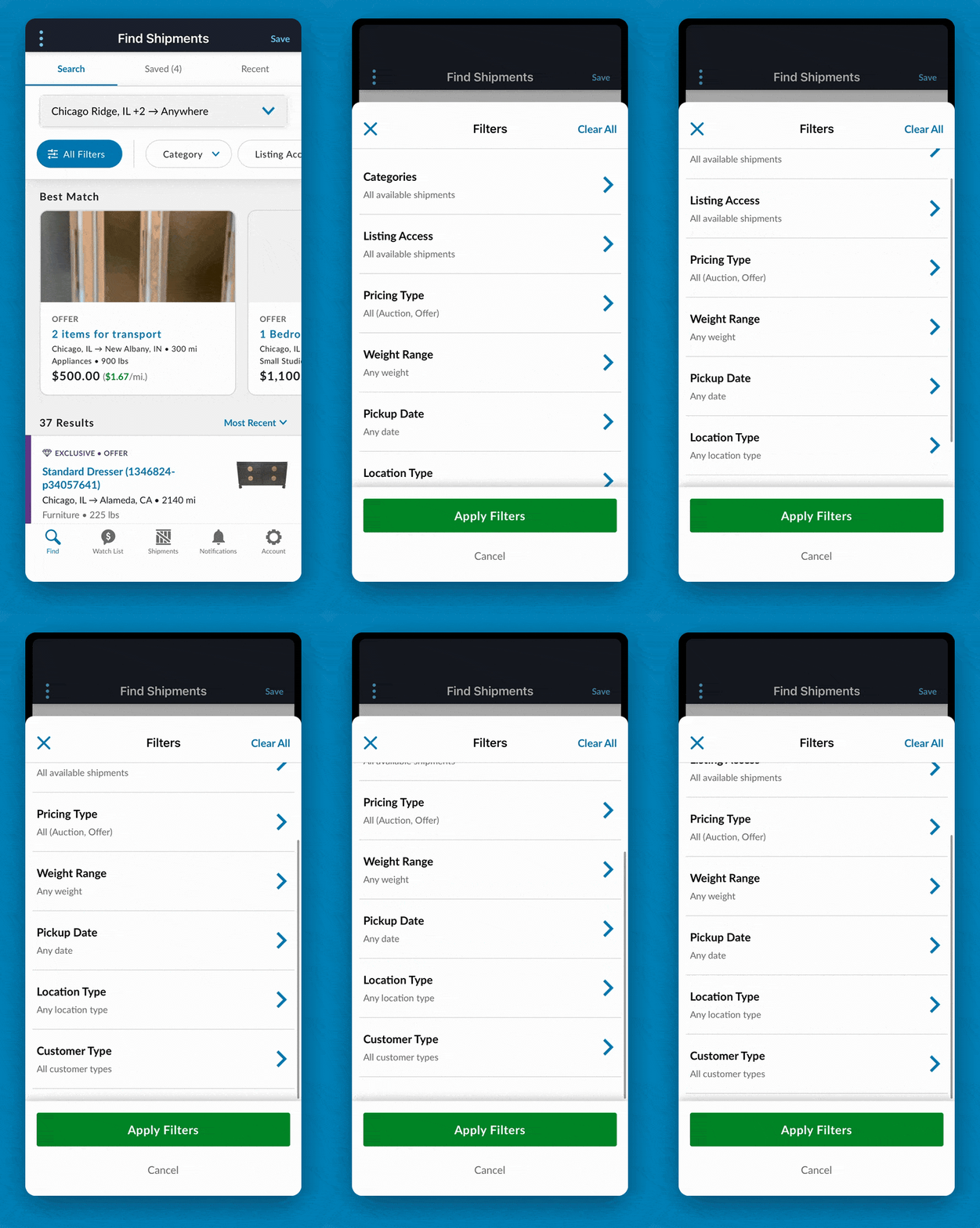
- Inline filter chips with quick access to All Filters, Pricing Type, Weight, Pickup Date, Location Type, Customer Type, and more
- Redesigned filter sheets with carrier-friendly rules. For example, weight ranges are now labeled with the vehicle type that fits them (“Up to 2,000 lbs – Furniture, appliances (van/pickup)”) so you don’t have to do the math yourself
- Best Match carousel at the top of results that surfaces the loads we think you should review first, optimized for high-value shipments, offer listings, and listings with photos
- Prominent $/mi pricing on every listing card so you can compare lanes and shipments at a glance
What this solves, day to day
Problem: You restart the same search every time you open the app.
Solution: Recent searches live in their own tab so you can pick up exactly where you left off.
Problem: The searches you care about most are buried.
Solution: Saved Searches are now one tap away from the main screen.
Problem: Filters don’t go deep enough to match your lane and equipment.
Solution: More filter dimensions, organized around how carriers actually think about loads.
Problem: You open the same listing twice because you forgot you already reviewed it.
Solution: Viewed and watched statuses now appear directly on the listing card, helping you avoid duplicated work.
Problem: You can’t tell at a glance which loads are worth pursuing.
Solution: Every listing card now includes $/mi pricing, plus a Best Match carousel that surfaces strong fits first.
Try it when you’re ready
Open Find Shipments, tap the ⋮ menu, and give the new experience a try.
If it’s not for you today, switch back. You’ve lost nothing but a couple of taps.
And once you’ve run it for a few days, we want to hear what’s working and what isn’t. Every bit of carrier feedback helps shape where this goes next.
Happy hauling.